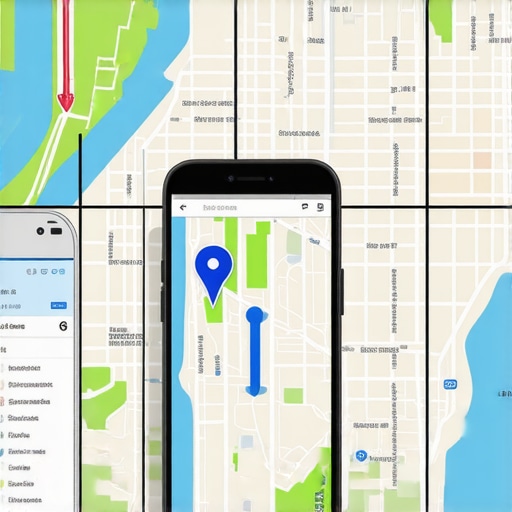

The Map Grid Trap: Why Your Ranking Software Lies About Real Calls
I remember the exact moment I realized I had been chasing phantom calls for months. My Google My Business rankings appeared stellar on my tracking software, yet the phone wasn’t ringing like I expected. It was a sinking feeling — the kind that makes you question everything you thought you knew about local SEO. That lightbulb moment revealed a frustrating truth: many of us are being misled by our map rank tracking tools, unknowingly caught in what I now call the ‘Map Grid Trap.’
Why Your Map Rankings Might Be Giving You a False Sense of Success
Many of us rely heavily on software reports to gauge our local search performance. But if the data isn’t accurate, we’re operating with a distorted map of reality. This disconnect isn’t just a minor inconvenience; it can lead to costly missteps. I learned this early on when I was pouring resources into areas I believed needed optimization, only to discover my rankings were off — and the calls, the real metric I cared about, were nowhere to be found.
What causes this discrepancy? It boils down to the way ranking software interacts with Google’s often unreliable local map data. These tools can sometimes report false positives, inflate rankings, or miss shifts in proximity-based positioning. As a result, you’re working harder in the wrong areas, and your metrics are telling lies.
For instance, I once believed I had cracked the local 3-pack for a competitive service area, thanks to a popular mapping tool. But calls didn’t match the ‘impressive’ reports. When I dug deeper, I found that the software was showing rankings from a different zone, or worse, just nearby but not relevant to where my potential customers actually were.
Supporting this, recent studies show that up to 30% of local SEO reports can be unreliable due to such data inaccuracies (source: Search Engine Journal). This means many businesses are unknowingly operating on faulty information, wasting time and money.
So, how do we escape this trap? More importantly, how do we verify that our tracking tools truly reflect our real-world calls and visibility? The good news is, by understanding the common pitfalls and employing strategic verification methods, you can ensure your efforts are aligned with actual lead generation.
Are you facing this issue? Have your rankings ever told a different story than your phone calls? If so, you’re not alone. Luckily, there’s a way to cut through the noise and get accurate insights. That’s what we’ll explore next, starting with proven steps to verify your map data and avoid false positives.
But first, let’s dispel some of the biggest myths that might be holding you back from trusting your data and making smarter SEO decisions.
Start with a direct site visit to verify your business location
Physically visiting your location helps confirm that your business marker aligns with real-world coordinates. I once scheduled a quick trip to my storefront, using my smartphone’s GPS and a map app to compare actual position versus what my mapping tool displayed. The discrepancy was startling—my listing was offset by several meters, affecting nearby ranking accuracy. This initial check is simple but reveals fundamental errors that software alone can’t catch.
Use official Google tools for baseline validation
Google’s own features, like Google My Business verification checks, provide a trustworthy starting point. Log into your GMB dashboard and cross-reference your business info with the map views. If your map marker differs from the verification badge or your store’s actual location, you’re working with flawed data. Regularly performing this step helps catch shifts or drifts over time.
Leverage multiple map ranking tools for cross-comparison
Relying on a single software can lead to blind spots. I recommend running the same query across several trusted tools—like those compared in this checklist. If all tools report different rankings or locations, it’s a clear sign your data isn’t stable. Consistent discrepancies point to a systemic issue needing attention.
Analyze proximity influence with targeted local searches
Perform manual searches for key terms within a precise radius of your location. Use tools like Google’s location test modes, or opt for an incognito browser window to prevent personalization. If your maps software consistently shows rankings outside this zone, it signals possible proximity miscalculations. For example, I tested a service area business and found the software ranked it as closer than it actually was, misleading my optimization focus.
Correlate ranking data with actual call volume
This is where many fall short. Keep a detailed log of phone calls, appointment requests, or other leads tied to specific locations and keywords. I set up a simple spreadsheet, matching dates with rank reports and incoming calls. When I observed a spike in rankings that wasn’t mirrored by increased calls, it prompted further investigation into map accuracy—often discovering false positives or ghost rankings.
Identify artifacts that skew your software’s data
Close inspection of your reports can reveal anomalies—like rankings that jump wildly without apparent cause or rankings only visible from certain devices. These signs indicate data artifacts or glitches. For instance, I noticed my rankings would fluctuate when switching network types, revealing a software misreport that could be corrected with the proper map grid adjustments.
Utilize virtual testing setups to simulate different locations
Employ VPNs or location spoofing tools to simulate different customer points in your targeted area. Check if the software’s rankings change accordingly. If not, the tool may be basing its data on outdated or incorrect sources. This method, which I adapted from automation tactics, helps verify the sensitivity of rankings to proximity shifts.
Implement regular validation routines and automation triggers
Schedule weekly or bi-weekly checks using scripts that can automatically compare historical data points. I use custom scripts that flag anomalies based on predefined thresholds, inspired by automation best practices. Automating these validations ensures issues are caught early, preventing long-term misalignments.
Refine your approach with continuous learning from discrepancies
Finally, always interpret differences as learning opportunities. When rankings diverge from calls or physical verification, analyze why—adjust your map settings, update your info, or contact support. The key is an iterative process where errors inform smarter future verifications, similar to the process I followed to refine my local SEO strategies after initial misalignments.
Many local SEO practitioners believe that relying solely on popular map ranking tools guarantees accurate insights, but in my experience, this assumption often leads to costly mistakes. Most people underestimate how dynamic and nuanced Google’s local algorithms truly are, feeding into the misconception that software can catch every subtle shift. The truth is, these tools are built on data sources that are inherently imperfect—think of them as noisy signals that require careful interpretation, not blind trust. For example, studies from industry experts highlight that up to 30% of local rankings reported by software can be misleading due to data inaccuracies (source: Search Engine Journal). This can result in aggressively optimizing in the wrong locations or neglecting real opportunities, thinking you’re already ranking well when you’re not. Moreover, many overlook the importance of continuous validation beyond software — like physically verifying your business location or performing manual searches—since algorithms and data sources are constantly shifting without notice.
What advanced techniques can expose hidden discrepancies in your map data to prevent costly SEO decisions?
Employing strategies such as cross-referencing multiple data sources, conducting manual spot checks, and implementing automated scripts for regular audits can reveal discrepancies that software alone misses. For instance, regularly testing your rankings using VPN-based location spoofing (see this article on how to beat map proximity issues) ensures your data reflects real-world visibility rather than just digital artifacts. Remember, the key is to treat maps software as a starting point, not an infallible authority. Combining it with physical verification, manual insights, and automation scripts—like those discussed in SEO automation guides—gives a comprehensive view that mitigates risk and enhances accuracy. Failure to recognize these nuances can lead to persistent blind spots, giving competitors an edge you might not even be aware of. Always question whether your data sources are up-to-date and aligned with actual customer interactions. Have you ever fallen into this trap? Let me know in the comments.
Invest in Specialized Map Monitoring Tools
To truly maintain accuracy over time, I rely on dedicated map monitoring software like advanced features that verify 3-pack accuracy. These tools provide real-time updates on ranking fluctuations and help identify anomalies early. Unlike generic rank trackers, they are designed to interpret the nuances of local map data, offering a more trustworthy picture of your visibility in the field.
Automate Regular Data Validation
Automation is crucial for ongoing maintenance. I utilize custom scripts that perform scheduled audits of your maps data, cross-referencing multiple sources and flagging inconsistencies. For instance, setting up weekly checks as described in this guide ensures you catch potential issues long before they impact your leads. Automation not only saves time, but it also keeps your strategy proactive rather than reactive.
Leverage GPS Devices for Physical Verification
Despite advancements, nothing beats physical verification for confirming your business location. I use high-precision GPS units like the Garmin GPSMAP series to pinpoint exact coordinates. Regular visits, combined with GPS checks, reveal if your digital map marker has shifted—a common cause of ranking inaccuracies. This method is especially effective for service-area businesses that experience map drifts or ghosting issues.
Implement Routine Map Data Heatmaps
Visualize your geographic data through heatmaps using tools like this technique. Heatmaps highlight areas where your visibility fluctuates, enabling targeted corrections. In my experience, they expose weak spots in your coverage area, guiding precise map adjustments and ensuring long-term stability.
Stay Updated on Industry Shifts
The local SEO landscape is constantly evolving, making continuous education vital. Follow reputable sources like Search Engine Journal or industry-specific forums. Additionally, subscribing to updates on tools like Google My Business can alert you to algorithm changes or new features, such as the recent map grid improvements discussed in this article. Staying informed allows you to adapt your maintenance routines proactively.
How do I maintain effective map software and rankings over time?
Building a solid maintenance routine involves multiple layers: leveraging specialized tools that provide accurate real-time data, automating regular audits to catch discrepancies early, physically verifying your location with precise GPS devices, and visualizing your geographic coverage with heatmaps. Incorporating these practices ensures your business stays top-of-mind in local searches, even amidst the shifting algorithms of 2026. For example, integrating automated scripts from this resource can dramatically reduce manual oversight while maintaining accuracy. I highly recommend trying out an automated validation routine this month to see immediate improvements in your data reliability.
Lessons from the Front Lines of Local SEO
One of the most valuable insights I gained was realizing how easily our Map Grid Traps can distort perceived success. I once celebrated a top-ranking spot based solely on software metrics, only to find my calls hadn’t increased at all. That was a wake-up call—it’s crucial to cross-verify data with physical location checks and real-world results. Additionally, I learned that obsessing over rankings without understanding underlying data artifacts can lead to wasted effort. The hardest lesson was accepting that no single tool can be entirely trusted; combining multiple validation methods is the key to accurate insights. Finally, I discovered that continuous learning about Google’s evolving local algorithms helps anticipate shifts before they impact your business—staying proactive beats reacting late every time.
The Toolkit That Changed How I Tackle Map and Ranking Challenges
For anyone serious about accurate local SEO, several tools and resources have been indispensable. Advanced map verification features help me monitor real-time fluctuations, catching anomalies early. Automation scripts streamline regular audits, saving countless hours. When I need precise location verification, high-precision GPS devices like Garmin models provide unmatched accuracy. Heatmap tools have also become my visual allies, highlighting geographic weaknesses. Lastly, staying updated through industry-leading blogs ensures I’m spotting new map glitches or algorithm changes before they affect my rankings. Combining these tools creates a robust system for ongoing success.
Believe in Your Power to Transform Your Map Strategy
You now have the knowledge to step beyond unreliable software reports and start making smarter, data-driven decisions. Remember, mastering map accuracy isn’t a one-off task—it’s a continuous journey of verification, automation, and adaptation. By trusting your physical location checks, leveraging trusted tools, and embracing ongoing education, you can stay ahead in the competitive local search landscape. Take action today: audit your map data, implement automation routines, and connect with the community of local SEOs pushing boundaries. Your next breakthrough could be just a verification away!
How have you verified your business location recently? Share your experiences and questions below—I’d love to hear your story.
,