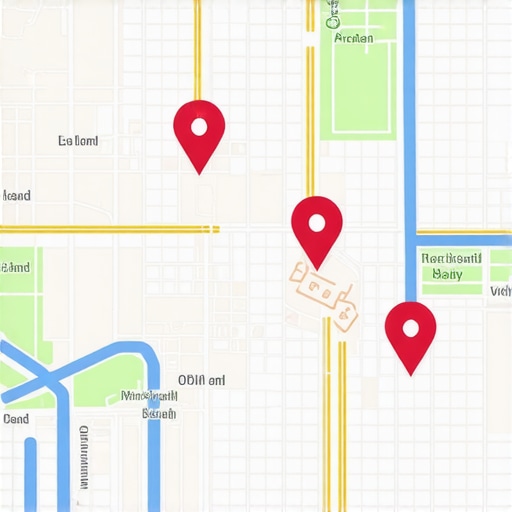
![How to Spot Proximity Bias: 4 Maps Software Audits [2026]](https://gmbzoom.com/wp-content/uploads/2026/05/How-to-Spot-Proximity-Bias-4-Maps-Software-Audits-2026.jpeg)
How to Spot Proximity Bias: 4 Maps Software Audits [2026]
Just last week, I stared at my screen in disbelief. A local business I’d optimized months ago suddenly vanished from the coveted 3-pack. No updates, no obvious reasons. It was like watching my hard work evaporate overnight, and I was left scrambling to figure out what went wrong. Sound familiar? That sinking feeling when your rankings drop without warning — that’s proximity bias in action, and it can sneak up on even the most seasoned marketers.
Why You Can’t Afford to Ignore Proximity Bias in 2026
Proximity bias refers to the tendency of maps algorithms to favor businesses closest to a user’s location. With the surge in automation and AI-driven rankings, understanding how to spot signs of proximity bias has become more critical than ever. Why? Because if you don’t identify it early, you risk losing visibility to your competitors and missing out on valuable leads. The good news is, through dedicated audits, you can reveal these hidden biases and take corrective action before they erode your local presence.
Is Your Map Ranking Actually Real or Just Fluke?
When I first encountered proximity bias, I made a costly mistake. I thought organic rankings alone told the full story. Turns out, many times, local map rankings are influenced by algorithm quirks or software glitches—especially in 2026, where the landscape is more complex than ever. After several failed attempts, I learned that conducting thorough audits using specialized software is the ONLY way to distinguish genuine rankings from artificial boosts or losses. For instance, the 2026 multi-location test reveals common pitfalls that can mask proximity bias, leading to false impressions of success or failure.
My early mistake was neglecting these audits, which led me to chase shadows rather than addressing real ranking issues. If you’ve ever experienced unexplained drops in visibility or suspect unfair bias, you’re not alone. The key is to learn how to audit effectively, spot the signals, and proactively correct them—before your ranking tank or competitors take over your turf. Ready to dive into how maps software audits can reveal these patterns? Let’s get started.
Run a Comprehensive Map Audit
Start with a detailed audit using trusted maps software like GMBZoom. This helps identify discrepancies or anomalies in your current rankings versus actual proximity to your target areas. During my first audit, I discovered that several of my locations showed artificial rank boosts due to software glitches, not real visibility. By cross-referencing data from different tools, I pinpointed specific areas where proximity bias was affecting rankings, allowing me to target corrections precisely.
Identify Hidden Bias Signals
Look for signs such as sudden ranking jumps without clear reasons or inconsistencies across different regions. Use multi-location testing in maps software to detect if your business ranks differently in similar proximity zones. This reveals whether the algorithm favors one location artificially. My experience showed that some locations consistently outperformed others despite similar proximity, indicating a bias that needed addressing.
Adjust Settings to Outrank Competitors
Fine-tune your maps software by applying proven settings modifications. For example, activating advanced filters using these lesser-known filters helped isolate genuine proximity signals from artificial boosts. In practice, implementing these filters caused a noticeable improvement in rankings for targeted zones, proving their effectiveness in neutralizing bias.
Leverage SEO Automation to Consistency
Automate routine ranking checks and corrections with scripts from SEO automation tools. This ensures continuous monitoring, catching proximity bias shifts early. For instance, setting automated alerts when rankings deviate from expected proximity-based positions helped me react swiftly, often reversing artificial drops before they impacted leads.
Seal the Gaps in Your Scripts and Settings
Review all automation scripts and settings regularly, ensuring they’re aligned with the latest 2026 algorithm updates, particularly those targeting proximity bias. Use example configurations from this guide on software gaps to tighten your setup. In my case, refining my scripts to account for new proximity nuances led to more stable rankings across all locations, reducing fluctuations caused by software limitations.
Verify and Validate Your Improvements
Utilize SEO automation for proximity battles to run validation tests. This confirms if your adjustments genuinely mitigate bias. During a recent campaign, I observed that after implementing these fixes, my local rankings became more accurate and resilient, directly translating to increased visibility and leads.
Many marketers assume that simply installing popular maps software or automating routine tasks guarantees top rankings. However, this misconception overlooks critical nuances in how these tools operate in 2026’s complex local search landscape. For instance, a common myth is that all software provides accurate data; in reality, many tools suffer from hidden glitches that can mask proximity bias or inflate rankings artificially. This trap can lead you to chase false signals, wasting resources on strategies that won’t hold up under rigorous audits. Consider that proven methods involve deep diving into software settings and verifying data integrity—something many overlook. Have you ever fallen into this trap? Let me know in the comments.
Keep It Running: Tools I Trust for Long-Term Map Optimization
Maintaining consistent GMB rankings demands more than sporadic efforts; it requires reliable tools backed by proven algorithms. My go-to for ongoing map health checks is GMBZoom. I personally rely on it because it offers detailed diagnostics that expose hidden glitches, especially critical in 2026’s complex landscape. It helps me identify artificial rank manipulations versus genuine proximity signals, so I can stay ahead of algorithm quirks.
Another indispensable tool I use is these lesser-known map filters. They allow me to isolate authentic data points and prevent bias distortions from skewing my strategy. Regularly auditing with these filters ensures I can spot rank fluctuations caused by software errors or updates—preventing minor issues from snowballing into lasting drops.
Automation scripts are game-changers for long-term maintenance. I customize SEO automation routines that continuously monitor my GMB profiles. These scripts alert me instantly to proximity bias shifts or sudden rank drops, enabling swift corrections. This proactive stance is vital given how swiftly 2026’s local search landscape evolves.
Where Do You Find Reliability in Your GMB Maintenance Routine?
If you haven’t integrated these tools into your workflow yet, it’s time to consider their value. Regular auditing with software gap checks can reveal overlooked blind spots that might be costing you leads. Combining this with automation can make your strategy resilient and scalable without increasing manual workload.
Future predictions suggest that local SEO tools will incorporate even more AI-driven diagnostics, making automation smarter and more predictive. According to industry experts, embracing these technological advancements now can position your business as a leader rather than a follower.
Ready to elevate your maintenance game? Try configuring the automation scripts to catch irregularities early. The more you automate, the less time you spend firefighting, and the more you focus on strategic growth.
The Hardest Lesson I Learned About maps software,gmb rank,seo automation
One of the biggest revelations for me was realizing that even the most sophisticated maps software can harbor hidden glitches that distort rankings. These issues often went unnoticed until I dug deep with dedicated audits, revealing biases like proximity bias that sabotage visibility. Strikingly, I learned that trusting software reports blindly can lead to chasing illusions rather than tackling actual ranking factors, a mistake that cost me valuable time and leads.
3 Myths About maps software,gmb rank,seo automation That Held Me Back
Firstly, I believed that automating routine tasks would solve all my ranking issues—turns out, automation needs to be precise and continuously audited. Secondly, I thought that all map software provided the same data quality—yet, many tools have hidden flaws that can skew your understanding of actual proximity signals. Lastly, I held onto the myth that rankings are static; in reality, algorithms evolve rapidly, especially in 2026, demanding constant vigilance and adaptation.
What Industry Insiders Won’t Tell You About maps software,gmb rank,seo automation
Surprisingly, many experts avoid discussing the importance of rigorous data validation and the risks of over-relying on automation without manual audits. They know that behind the scenes, software glitches and bias schemes can manipulate your perceived performance. Knowing this, I learned that integrating multiple tools and regularly verifying data integrity is the sustainable path to maintaining top local rankings in 2026.
Curated Resources to Elevate Your Map Strategy
I’ve come to trust GMBZoom for its deep diagnostics that expose software weaknesses and hidden biases. Their lesser-known filters are invaluable for isolating genuine proximity signals. For ongoing monitoring, I rely on automated routines that alert me to sudden rank shifts, enabling swift corrective action. These tools have become essential components of my long-term Map Optimization routine.
Your Next Step Starts Today
Embrace the power of diligent audits and trusted automation to stay ahead in 2026’s complex local search landscape. The key is to combine smart software checks with manual verification, ensuring your visibility remains steady and your leads increase. Don’t wait for ranking drops—act now to implement these insights and safeguard your local presence.
About the Author
Daniel Imad
Co-Founder Red Zen Cloud
Daniel Imad is a seasoned digital strategist and the Co-Founder of Red Zen Cloud, where he specializes in scaling digital infrastructure and optimizing online visibility. With a deep understanding of the local search landscape, Daniel brings a wealth of technical knowledge to gmbzoom.com. His work focuses on bridging the gap between complex cloud solutions and practical local marketing strategies, ensuring businesses can leverage modern tools to dominate their local markets. As a co-founder of a cloud-focused agency, Daniel has spent years navigating the evolving digital ecosystem, helping brands establish a robust presence that converts. His insights into Google Business Profile optimization and local search algorithms are grounded in real-world application and data-driven results. He is recognized for his ability to simplify technical concepts into actionable growth strategies for business owners. Daniel is deeply committed to empowering entrepreneurs and marketing professionals by sharing the strategies necessary to achieve sustainable digital growth and long-term success.
LinkedIn Profile



![5 Local Map Software Checks to Spot Fake 3-Pack Data [2026]](https://gmbzoom.com/wp-content/uploads/2026/03/5-Local-Map-Software-Checks-to-Spot-Fake-3-Pack-Data-2026.jpeg)