What to Do When Google Support Ignores Your Reinstatement Request
What to Do When Google Support Ignores Your Reinstatement Request
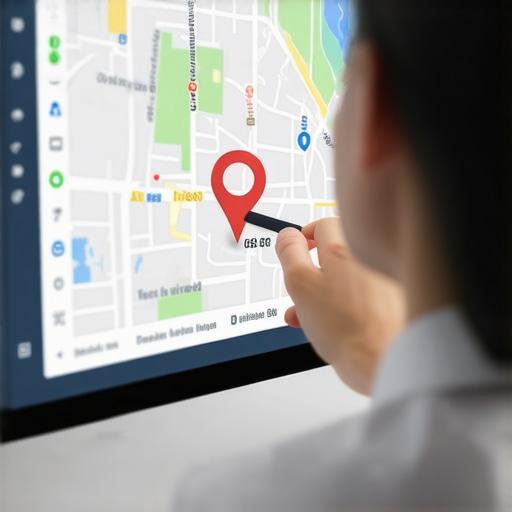
There is no silence quite as deafening as the silence from Google Support when your business is offline. You’ve submitted the appeal, you’ve uploaded the documents, and you’ve waited. Three days turn into a week. A week turns into a month. Meanwhile, your phone has stopped ringing, your revenue is cratering, and your competitors are gobbling up your market share. You are facing a total loss of google maps visibility, and the automated system seems to have forgotten you exist.
My name is Ben Fisher. I am a Google Business Profile (GBP) Gold Product Expert. To put that in perspective, I am one of only 14 people globally recognized by Google with this designation. I spend my days deep in the trenches of the Google Business Profile ecosystem, solving the problems that leave most SEOs scratching their heads. When I tell you that I’ve seen thousands of “ghosted” reinstatement cases, I’m not exaggerating. I’ve seen the patterns, the failures, and the specific triggers that cause Google’s support apparatus to go dark. Usually, when Google stops responding, it isn’t a technical glitch – it is a “failure of evidence.”
Before we dive into the recovery process, you need to understand the fundamental rules of the game. If you haven’t yet identified why you were flagged, read my guide on The Only 3 Reasons Google Suspends Business Profiles and How to Appeal. If you’ve already appealed and are now stuck in the void, this guide is your roadmap out of the darkness.
Why Google Support Goes Dark: The Mechanics of the Appeal Tool
In 2026, the days of emailing a friendly support representative are long gone. Google has transitioned almost entirely to the “Appeal Tool” workflow, which is governed by sophisticated – but often rigid – AI models. When you submit a google business profile reinstatement request, the first gatekeeper is an algorithm. This algorithm is designed to cross-reference your submitted evidence against a massive database of government records, utility data, and street-view imagery.
If your evidence does not meet the “high-confidence threshold” required by the AI, one of two things happens: you receive an immediate automated denial, or your ticket enters a state of “pending” limbo. Google Support often goes dark because the system has flagged your case as “low quality” or “insufficient evidence.” In their view, if you haven’t provided what they asked for, there is no reason to update you. It is a brutal, binary system.
Most initial denials happen because of “Guidelines violations” that the user didn’t actually fix before appealing. If you appeal a profile that still has a keyword-stuffed name or a residential address listed as a storefront, the AI will reject it in milliseconds. To break this loop, you need more than just a request; you need a comprehensive google business profile optimization strategy that aligns your digital presence with physical reality.
The “Pre-Flight” Checklist: Did You Actually Fix the Problem?
Before you attempt to escalate a stalled request, you must perform a brutal audit of your own profile. Google will not reinstate a profile that is currently violating their terms, even if you’ve been a “good” business for ten years. The most common culprit is NAP (Name, Address, Phone) inconsistency.
Does your business name on the profile match your LLC filing exactly? If your legal name is “Main Street Plumbing LLC” but your profile says “Best Plumbers in Chicago – Main Street Plumbing,” you are in violation. Google views that extra text as “keyword stuffing,” a primary trigger for suspensions. I often see that local seo ranking tools flag these inconsistencies long before Google’s manual reviewers do, giving you a chance to fix them proactively.
Actionable Audit Steps:
- Verify the Address: If you are a Service Area Business (SAB), your address should be hidden. If it’s visible and it’s a residential home or a P.O. Box, you will be ignored.
- Cross-Reference Documents: Ensure the phone number on your utility bill is the same one listed on your GBP.
- Check for Duplicate Profiles: Sometimes a suspension is triggered because another profile exists for the same business. This creates a “trust conflict” in Google’s database.
For more on how data discrepancies can ruin your local presence, see my post on 7 Tracking Errors That Make Your Local SEO Reports Look Like a Lie.
The 72-Hour Rule & The Appeal Tool Workflow
How long is too long? In the current ecosystem, the standard response window is 3 to 5 business days. If it has been more than 72 hours since your last update in the Appeal Tool, and you haven’t received a “Reinstated” or “Denied” notification, your case is likely stalled in a manual review queue or filtered out by the spam filter.
The biggest mistake I see business owners make is “ticket spamming.” If you haven’t heard back, your instinct is to submit a new appeal or open a new support ticket. Do not do this. Submitting multiple tickets for the same issue “resets” your place in the queue and, more importantly, can lead to your account being flagged as a “malicious actor.” This is the fastest way to ensure you never get a response again.
Instead, use GBP ranking tools to monitor if any “shadow” changes are happening. Sometimes, a profile is reinstated but the status hasn’t updated in the dashboard yet. If your business starts appearing in local searches again, the tool will catch it before the email notification hits your inbox. If the status is truly stuck, you need to prepare for an escalation.
The Escalation Path: The Google Business Profile Help Community
When the automated systems fail, you need a human eye. The most effective way to get that human eye is through the Google Business Profile Help Community. This is a public forum where Product Experts – like myself – volunteer our time to help businesses navigate the complexities of Google’s policies.
We have a unique role. While we don’t work for Google, we have a direct line to the internal support teams. We can “flag” cases for manual review if we believe a mistake has been made or if a case has been unfairly ignored. However, we are not a “get out of jail free” card. We only escalate cases that have followed the proper procedures and have clear, undeniable evidence of compliance.
How to Create a Successful Forum Post:
- Be Concise: Don’t vent your frustrations. State the facts.
- Provide the Case ID: This is the number found in the subject line of your appeal confirmation email. Without this, we can’t help you.
- Provide the Business Profile ID: Found in your GBP settings under “Advanced Settings.”
- The Evidence Link: This is the most important part. Create a public Google Drive folder containing all your evidence (utility bills, licenses, photos) and include the link in your post.
If you’re wondering why your profile was targeted in the first place, it might be part of a larger trend. Check out How to Troubleshoot a Business Profile That Suddenly Stopped Getting Calls for more context on sudden visibility drops.
The “Evidence Vault”: What Google Actually Wants to See
To win a google business profile reinstatement, you must provide what I call the “Evidence Vault.” Google’s reviewers are trained to look for specific “high-trust” documents. If you send a blurry photo of a business card, you will be ignored. If you send a high-resolution PDF of a municipal water bill, you will get their attention.
Mandatory Documents for Storefronts:
- Utility Bills: Water, electric, or gas. The name and address must match the GBP exactly. Internet bills are also acceptable in most regions.
- Business License: A current, valid license from your city or state.
- Physical Proof: Photos of your permanent signage, the entrance to your building, and your tools/equipment inside the office.
Mandatory Documents for Service Area Businesses (SABs):
SABs are under much higher scrutiny because they are the primary vehicle for local lead-gen spam. To get reinstated, you must prove you are a legitimate operation. This includes vehicle registration with the business name, photos of your branded truck or van, and invoices for work performed in the area you claim to serve. Using a google maps ranking service won’t help you if you can’t prove you actually exist in the physical world.
Pro Tip: Video evidence is becoming the gold standard. A 30-second unedited video starting from across the street, walking into your office, and showing your business documents on your desk is nearly impossible for a reviewer to ignore.
Recovery: Reclaiming Your Rank After Reinstatement
Congratulations, your profile is “Active” again. But don’t celebrate just yet. It is very common for a profile to experience a “ranking hangover” after a suspension. Because your profile was offline, Google’s local algorithm may have re-evaluated your prominence and relevance compared to competitors who stayed active.
You need to use local seo software to track your recovery progress. Don’t be surprised if you aren’t back in the top 3 immediately. You may need to “re-prime” the pump by requesting new reviews, updating your “Google Posts,” and ensuring your citations across the web are still healthy. Suspension often breaks the link between your profile and your website’s authority, so a quick technical audit of your site is also recommended.
For a deep dive into post-suspension ranking strategies, read my expert breakdown: Fix 3-Pack GMB Rank Drops: 5 SEO Automation Tips [2026].
Conclusion: Breaking the Silence
Being ignored by Google Support is a stressful, high-stakes situation, but it is rarely permanent if you are a legitimate business. The “silence” is usually a signal that your evidence wasn’t strong enough to clear the automated hurdles. By auditing your profile, preparing a professional “Evidence Vault,” and following the proper escalation path through the Help Community, you can break the loop and get back to work.
Don’t leave your business’s future to chance. Use the tools available at SEO Viper Tools to monitor your profile’s health and ensure you are always in compliance with Google’s ever-changing guidelines. If you have the right evidence and the right approach, reinstatement isn’t a matter of “if,” but “when.”